Contents
Tags
Introducing Runyard: Find the Right AI Model for Your Hardware
We built Runyard because we kept running into the same problem: you find an interesting LLM, download it, and then discover it doesn't fit in your VRAM — or barely fits but runs at 2 tokens per second. Runyard solves that before you waste the time.
What Runyard Does
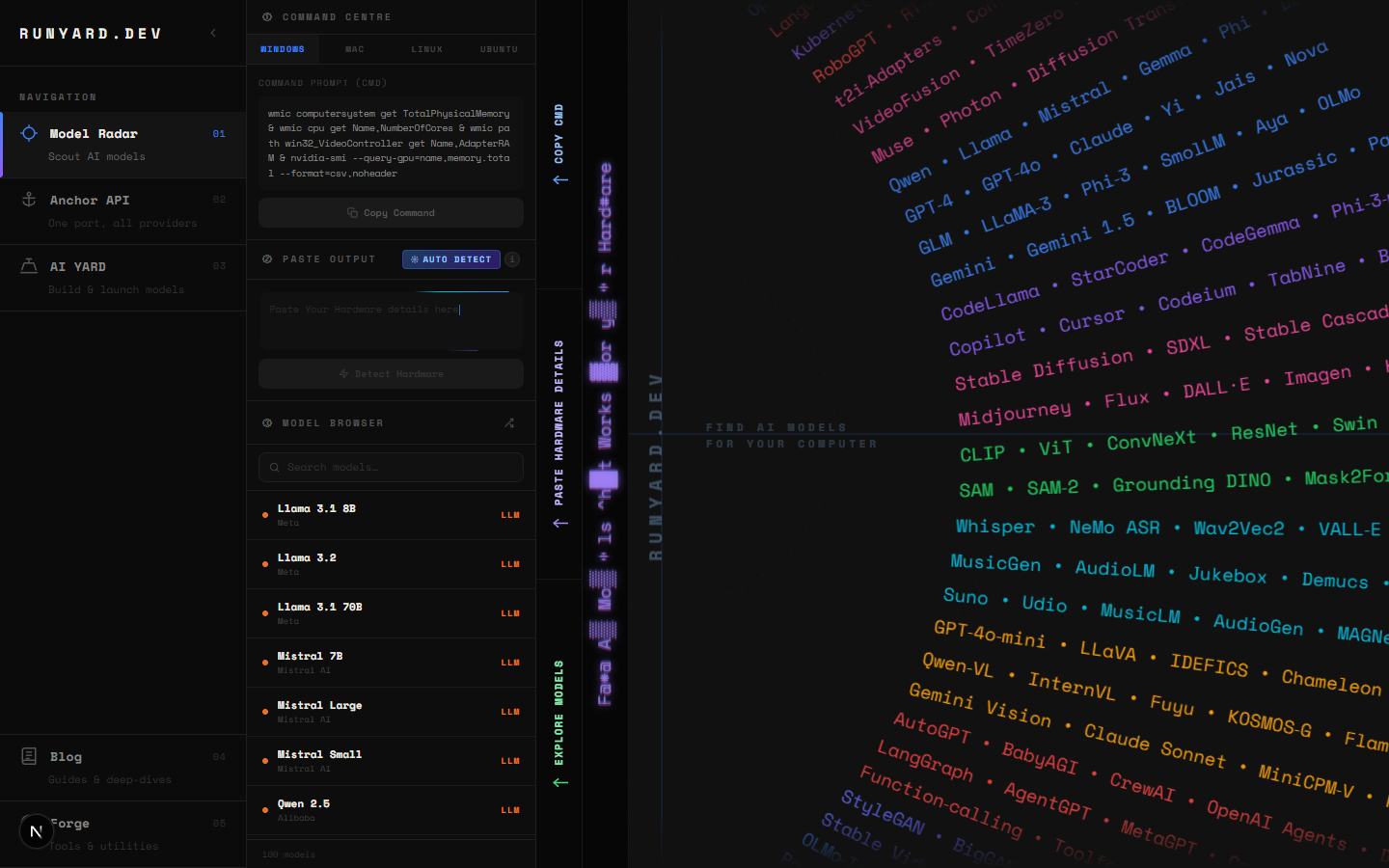
Runyard's Model Radar is a hardware-aware model browser. You enter your specs — CPU, RAM, GPU, and VRAM — and it filters the entire catalog of major open-source LLMs to show only what will actually run on your machine. Each model comes with a performance tier, recommended quantization, and an expected tokens-per-second range.
The Sunburst Chart
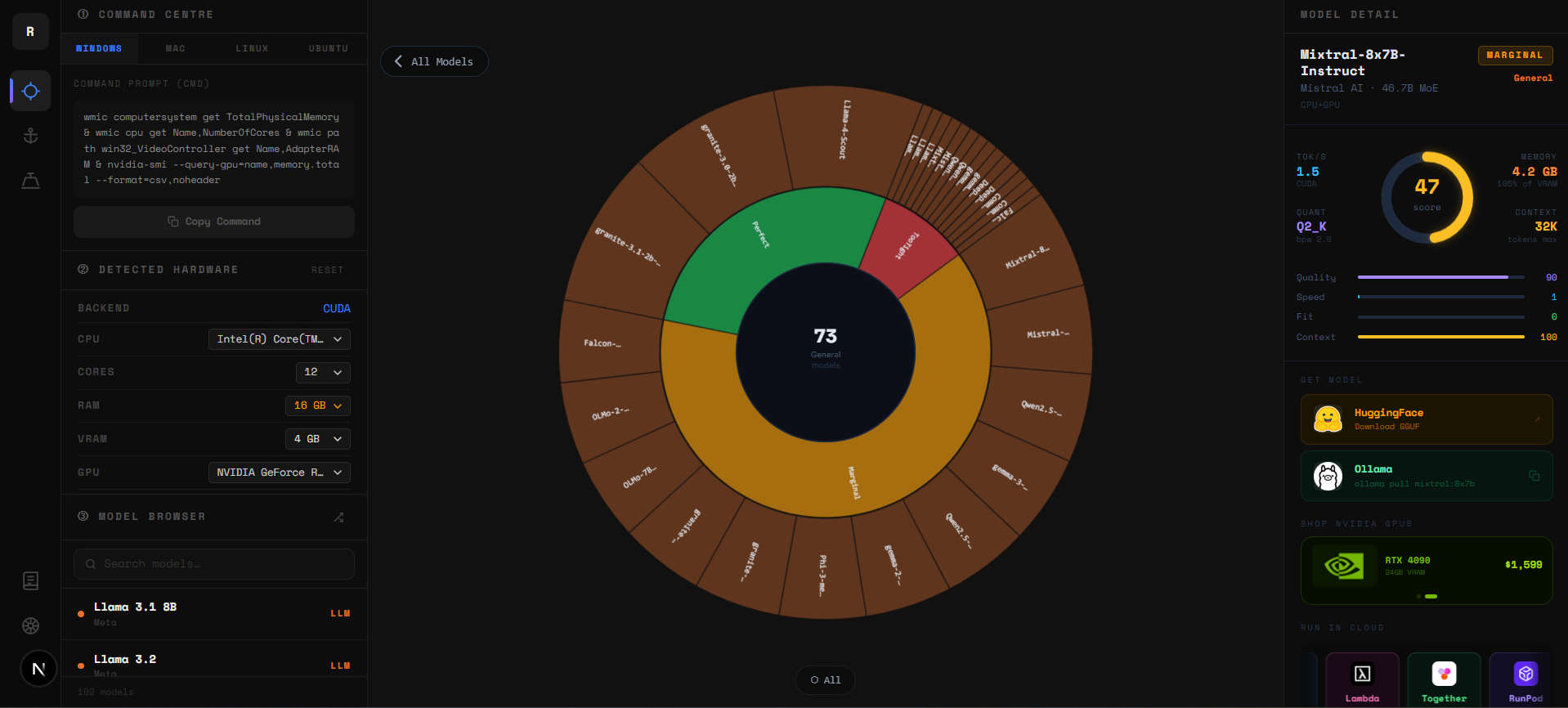
The sunburst is a zoomable radial chart. Every arc is a model — organized by category in the inner rings (Chat, Code, Vision, Reasoning) and individual models in the outer arcs. Colors update live: green means comfortable fit, yellow is tight, red means it won't run on your current VRAM.
- ▸Click any inner ring to zoom into that category and see only those models.
- ▸Click a model arc to open its full detail panel — specs, quant options, and download links.
- ▸Click the center circle to zoom back out to the full catalog.
- ▸Use the filter bar to show only Chat, Code, Vision, or Reasoning models.
The Tier List
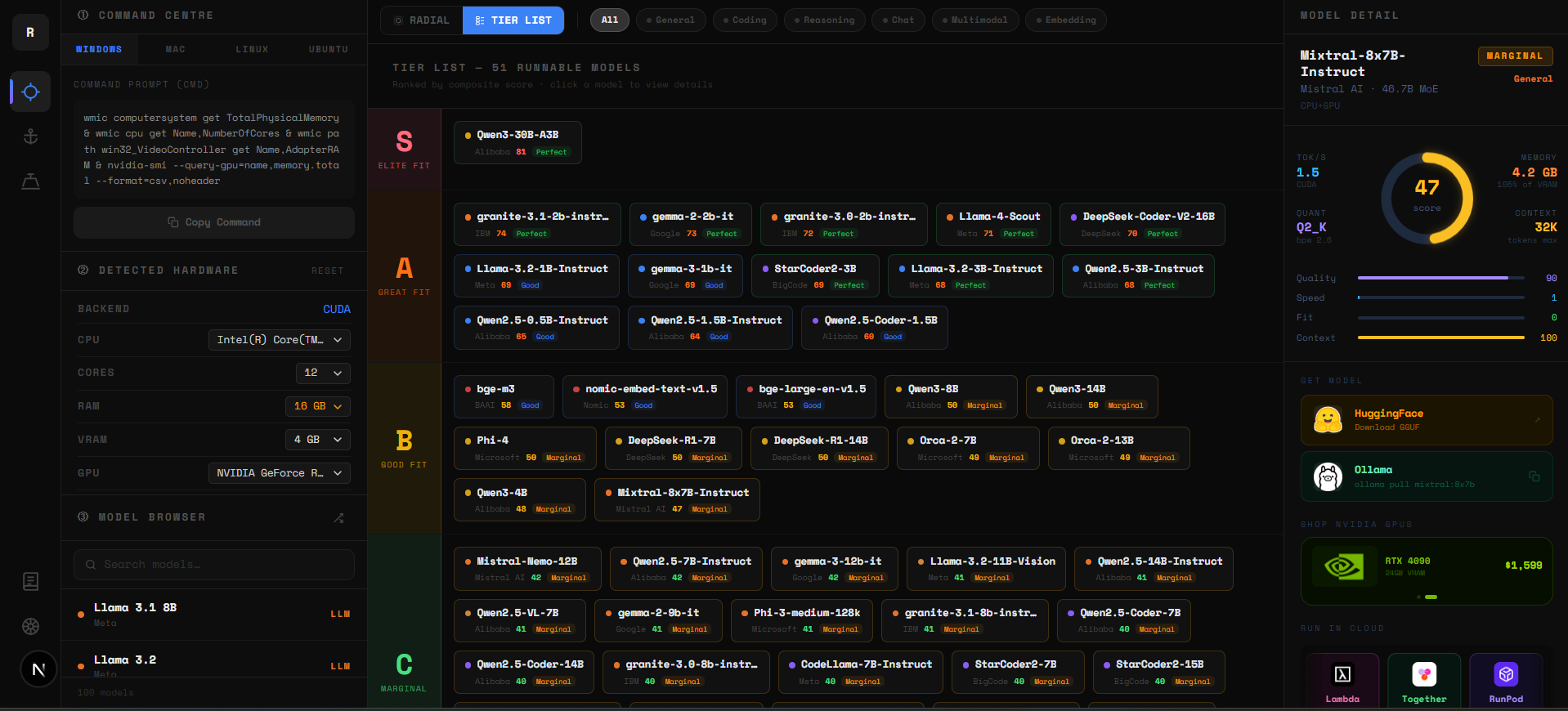
Below the sunburst is the Tier List — the same data in a ranked linear format. Every model is scored across three factors: VRAM headroom (40%), memory bandwidth utilization (35%), and benchmark quality (25%). The result is a composite 0–100 score that slots each model into a tier.
- ▸S Tier (75–100) — Elite fit. Fast, comfortable, high quality. Start here.
- ▸A Tier (60–74) — Great fit. Excellent real-world performance on your hardware.
- ▸B Tier (45–59) — Good fit. Usable with the right quantization or context setting.
- ▸C Tier (30–44) — Marginal. Runs but expect slower tok/s or tight VRAM.
- ▸D Tier (0–29) — Limited. Technically loads but performance will be poor.
Use the Sunburst for exploration — it shows the whole catalog at a glance. Switch to the Tier List when you're ready to decide — it puts your best options at the top. Both update instantly when you change your hardware specs at runyard.dev.
The Problem We Solve
- ▸No more guesswork — know before you download whether a model fits
- ▸Quantization guidance — see the best quant level for your exact VRAM
- ▸Performance expectations — get realistic tok/s estimates for your hardware
- ▸Comparison view — see multiple models side-by-side for your system
- ▸Use-case filtering — filter by coding, chat, reasoning, vision, and more
What's Coming Next
- ▸Anchor API — one endpoint for all major AI providers with unified pricing
- ▸AI YARD — fine-tune and build your own models in a guided workflow
- ▸Forge — tools and utilities for managing your local AI setup
- ▸Benchmark database — community-contributed real-world performance data
- ▸Ollama / LM Studio integration — one-click model install from Runyard
It's Free
Runyard is free to use. We're building the infrastructure layer for the local AI ecosystem — starting with the tool that helps you figure out where to start. Go to runyard.dev, enter your specs, and find out what's possible on your hardware today.
Tools
Find AI models that fit your exact hardware. Enter your specs and get a ranked list instantly.
Newsletter